Webhook Setup
Receive real-time payment notifications from YallaPay. Configure a webhook endpoint on your server and we'll send a JSON payload every time a payment status changes.
CLICK Webhook from the Left Sidebar
How webhooks work
When a payment's status changes (paid, refunded, disputed, etc.), YallaPay sends a POST request to your configured endpoint with the transaction details below.
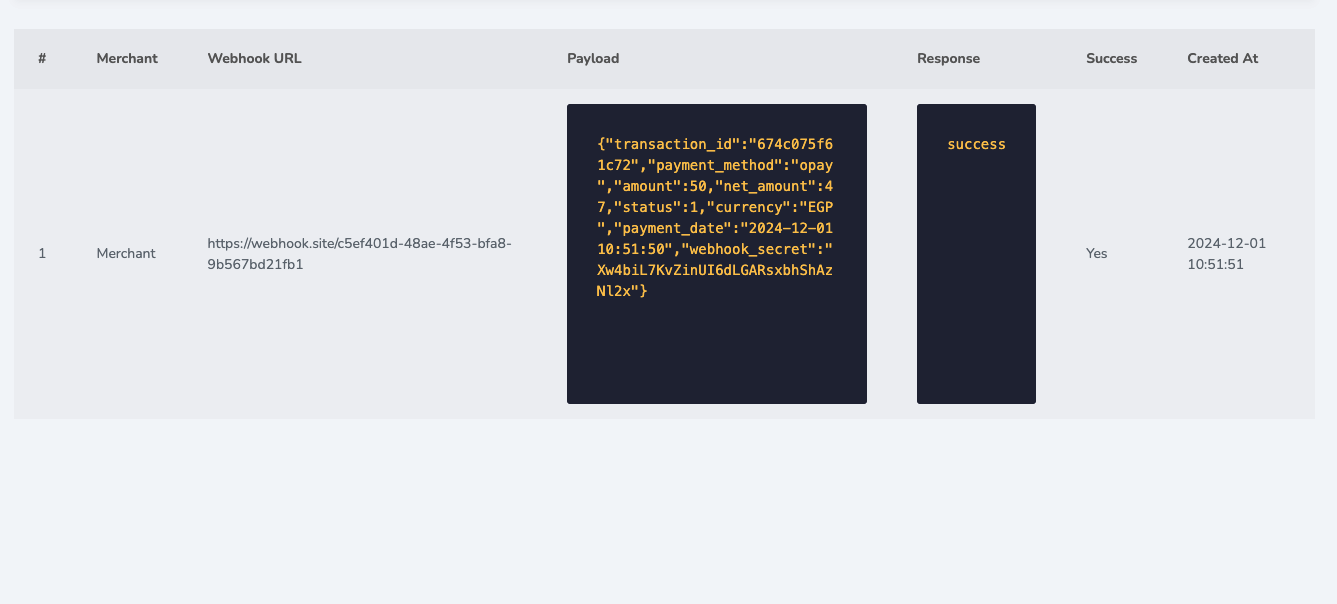
Sample Webhook Payload
Below is a sample of the data sent to your webhook endpoint:
{
  "transaction_id": "678f773facff5ref1222",
  "external_id": "1222",
  "payment_method": "Stripe",
  "amount": 10,
  "net_amount": 7,
  "status": 1,
  "currency": "AED",
  "payment_date": "2025-01-21 14:30:24",
  "webhook_secret": "eVwJjybVl0VVNzDeJ9PfK4fqZS3Z5g1h"
}
Status Code Mapping
The status field in the webhook payload maps to the following statuses:
Status Codes
| 0 | Failed |
| 1 | Paid |
| 3 | Refunded |
| 4 | Disputed |
| 5 | Initiated |
Always verify the webhook_secret
Compare the webhook_secret value in each payload against the secret you set in your dashboard. Reject any request where the secret does not match — this prevents spoofed webhooks.
Configuration & Response
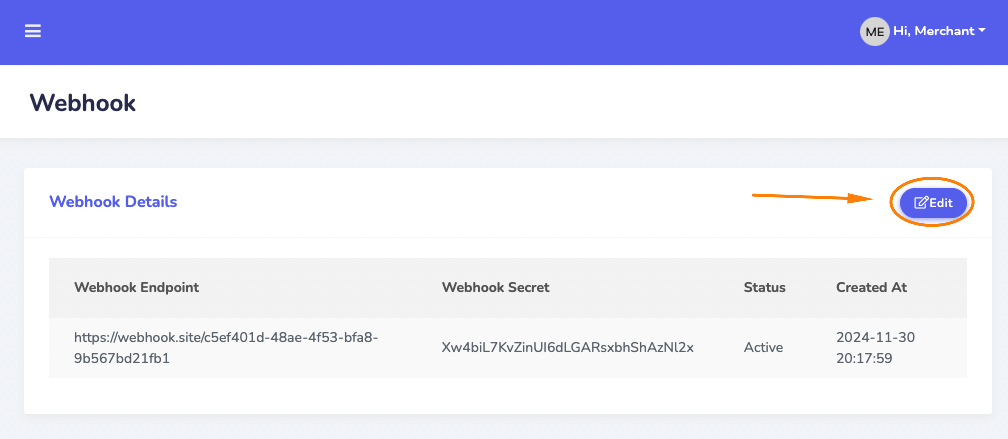
Update your webhook endpoint, status & save
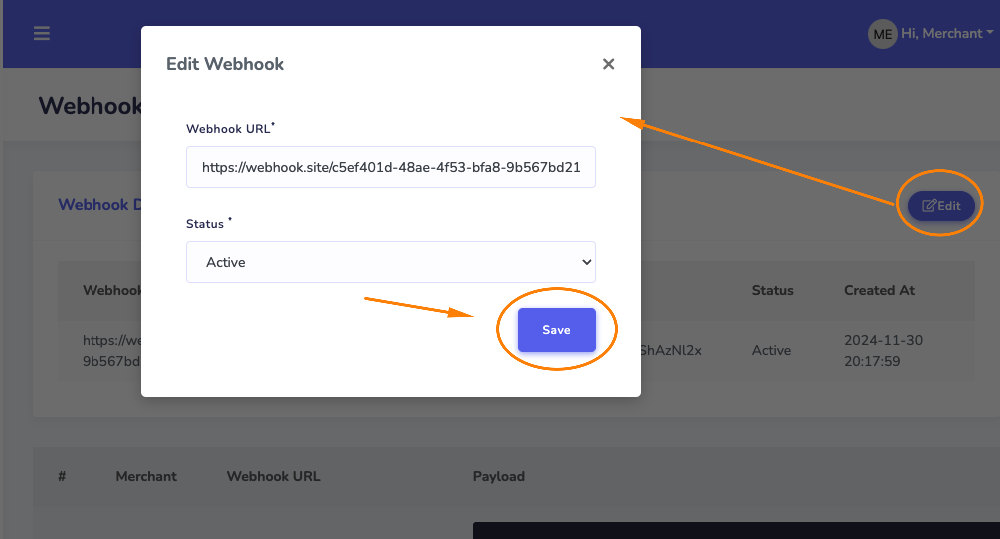
Success Response: