
Payments through API (Demo with Postman)
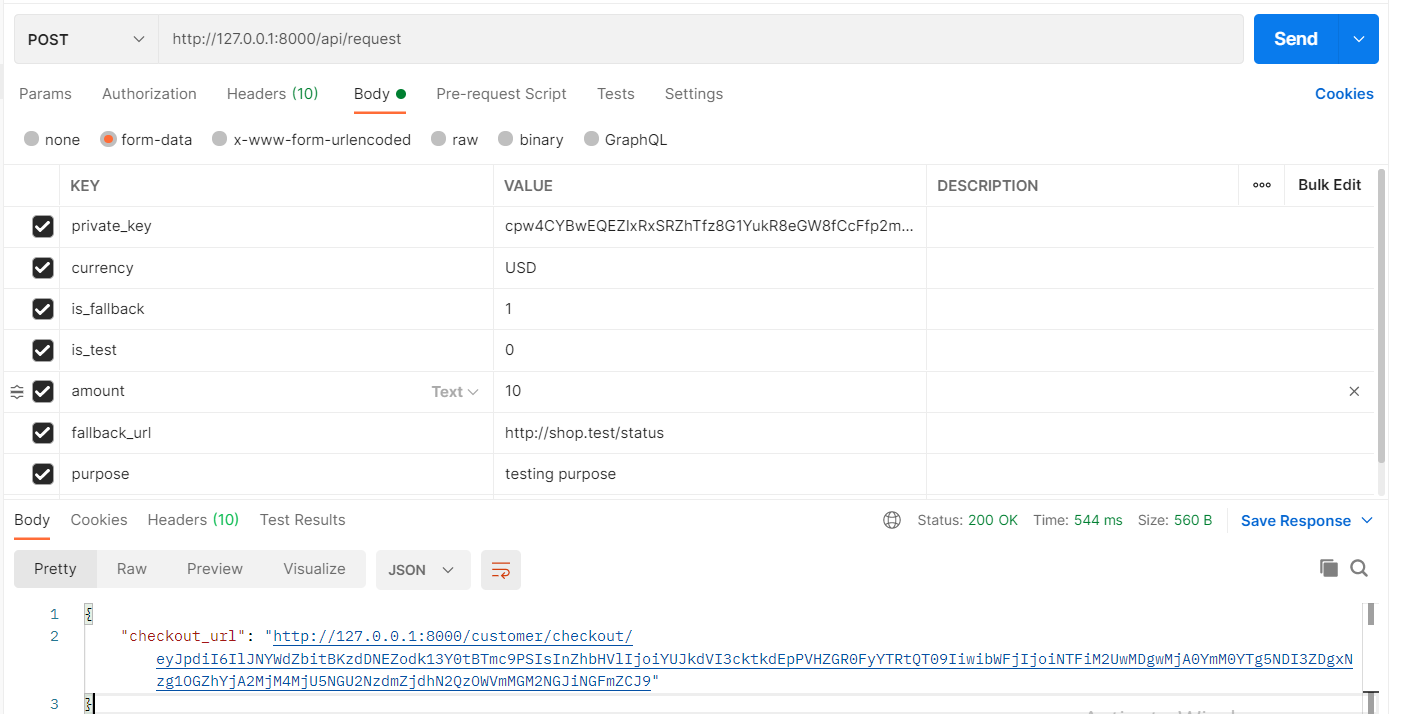
Generate a checkout link directly from your backend. Send the request below with your merchant credentials and the system returns a hosted checkout URL you can redirect the customer to.
On this page
Endpoint
POST Generate checkout link to make a payment
https://yallapay.net/api/request
Headers
Headers
| Accept | application/json |
| Content-Type | application/json |
Request Body
BODY formdata
| private_key | Merchant_private_key |
| currency | Merchant_currency |
| is_fallback (optional) | Accept(1 OR 0)
|
| fallback_url (conditional) | http://domain.com/status
|
| external_id (int) | Merchant_external_id, you can use it for your product id or any custom id. |
| amount | 100 |
| purpose | Test payment |
| bill_to (optional) | Customer / payer name shown on the checkout page (e.g. John Doe). |
| fee_payer (optional) | Who pays the YallaPay processing fee. Accepts merchant or customer.
|
| store_id (optional) | 12345 (Generate store id from webhook page) |
In body add private_key, currency, is_fallback, url, amount as keys with their values from the credentials of merchant profile.
cURL Example
curl -X POST "https://yallapay.net/api/request" \
  -H "Accept: application/json" \
  -H "Content-Type: application/json" \
  -d '{
    "private_key": "YOUR_PRIVATE_KEY",
    "currency": "AED",
    "amount": 100,
    "external_id": 12345,
    "purpose": "Test payment",
    "bill_to": "John Doe",
    "fee_payer": "customer",
    "is_fallback": 1,
    "fallback_url": "https://yoursite.com/status",
    "store_id": "12345"
  }'
Response
On success, you receive a checkout URL. Redirect the customer there to complete payment.
{
  "status": "success",
  "checkout_url": "https://yallapay.net/checkout/abc123xyz",
  "request_id": "abc123xyz"
}
Visual Walkthrough
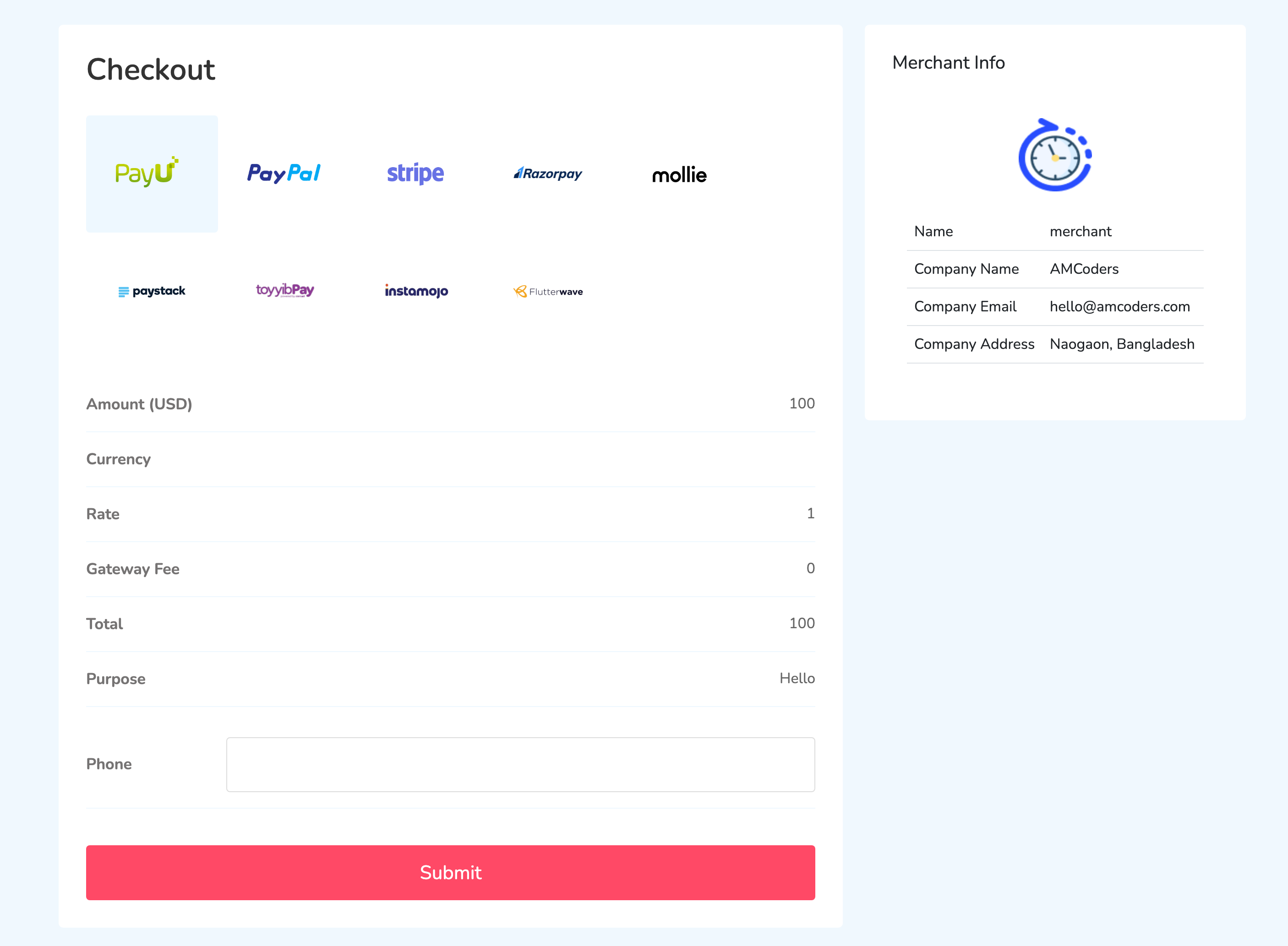
Checkout Page:
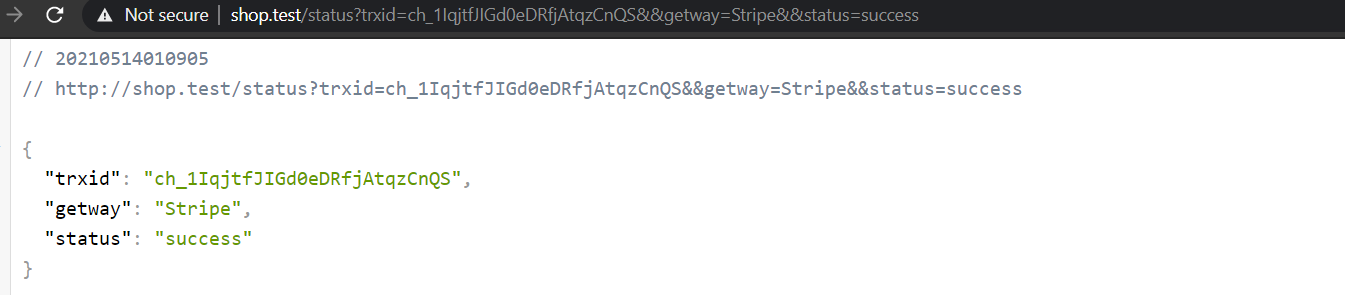
Success Response:
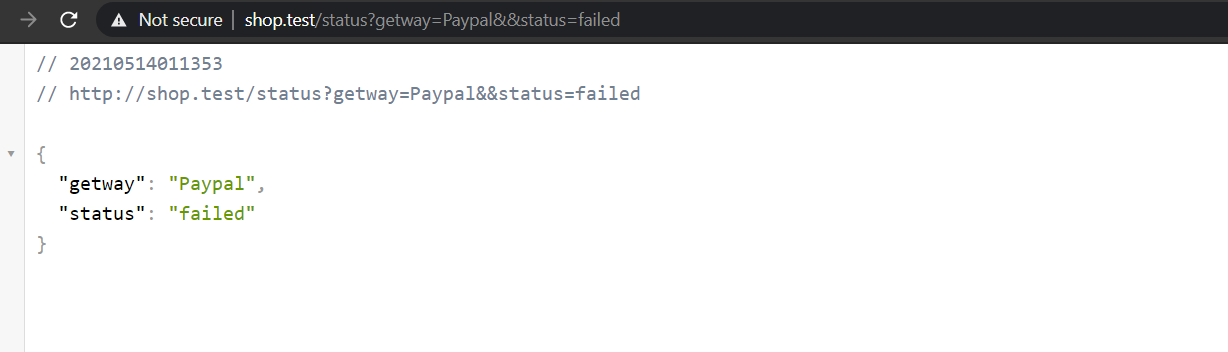
Failed:
Keep your private key secret
Never expose your private key in client-side code or public repositories. Always make this API call from your backend server.